
The bookkeeping cycle
One month in Anchor, from the source document to the trial balance, the statements, the VAT report, and the year-end lock.
This guide is the monthly bookkeeping cycle in Anchor, in the order you do the work. It is for an owner keeping their own books and for a bookkeeper working in a client's organisation.
Anchor already posts the journals for invoices, bills, payments, and bank lines. You spend the cycle making sure those entries are in the books, adjusting what no document covers, and reading the reports. You close the year once, after the last month.
Anchor prepares the figures. It does not file with SARS, and it does not replace your accountant.
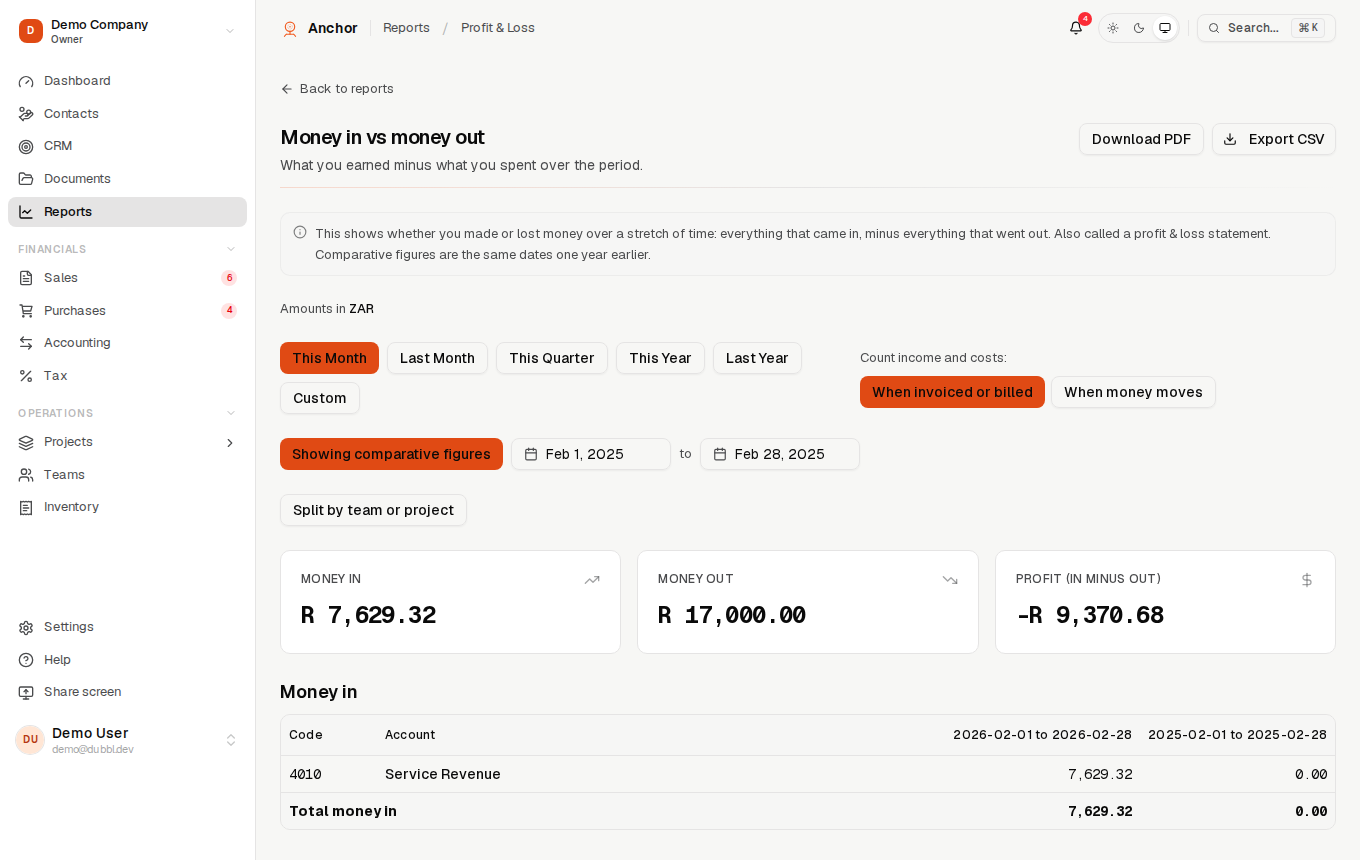
The pictures are Demo Company, the sample organisation, with February 2026 on screen. Amounts are in rands.
Before the first month
- Set Fiscal year start on Settings to the month your financial year opens (March for many South African companies, January if you chose a calendar year).
- Review Accounting → Accounts.
- If you are moving from another system, enter the balances you carried over under Accounting → Opening balances. Use the trial balance from the old system as at the day before your first transaction in Anchor. See Opening balances.
After that, each month follows the same loop.
The cycle
| Step | Where | What "done" looks like |
|---|---|---|
| Capture | Sales, Purchases, Accounting → Banking | Every source document for the month is in Anchor |
| Record | Automatic, plus Accounting → Transactions | Each event has a journal, and debits equal credits |
| Post | Finalize on a draft | The entry is in your books |
| Check | Reports → Trial balance | The debit total equals the credit total |
| Adjust | Banking, accruals, assets, manual entries | The month includes costs and income that belong to it |
| Report | Reports | Profit and loss, balance sheet, and cash flow are read from posted journals |
| VAT | Tax → VAT Report | The period's output, input, and net VAT are exported for eFiling |
| Close and lock | Settings → Fiscal years and Lock past dates | A finished year is closed, and a signed-off period cannot be edited |
1. Capture what happened
Record the month from the documents, not from memory.
- Under Sales, send the invoice (email or mark as sent). A draft invoice is saved and is not in the books yet.
- Purchases → approve the supplier bill when you receive it.
- Record cash sales and expenses in the month they belong to.
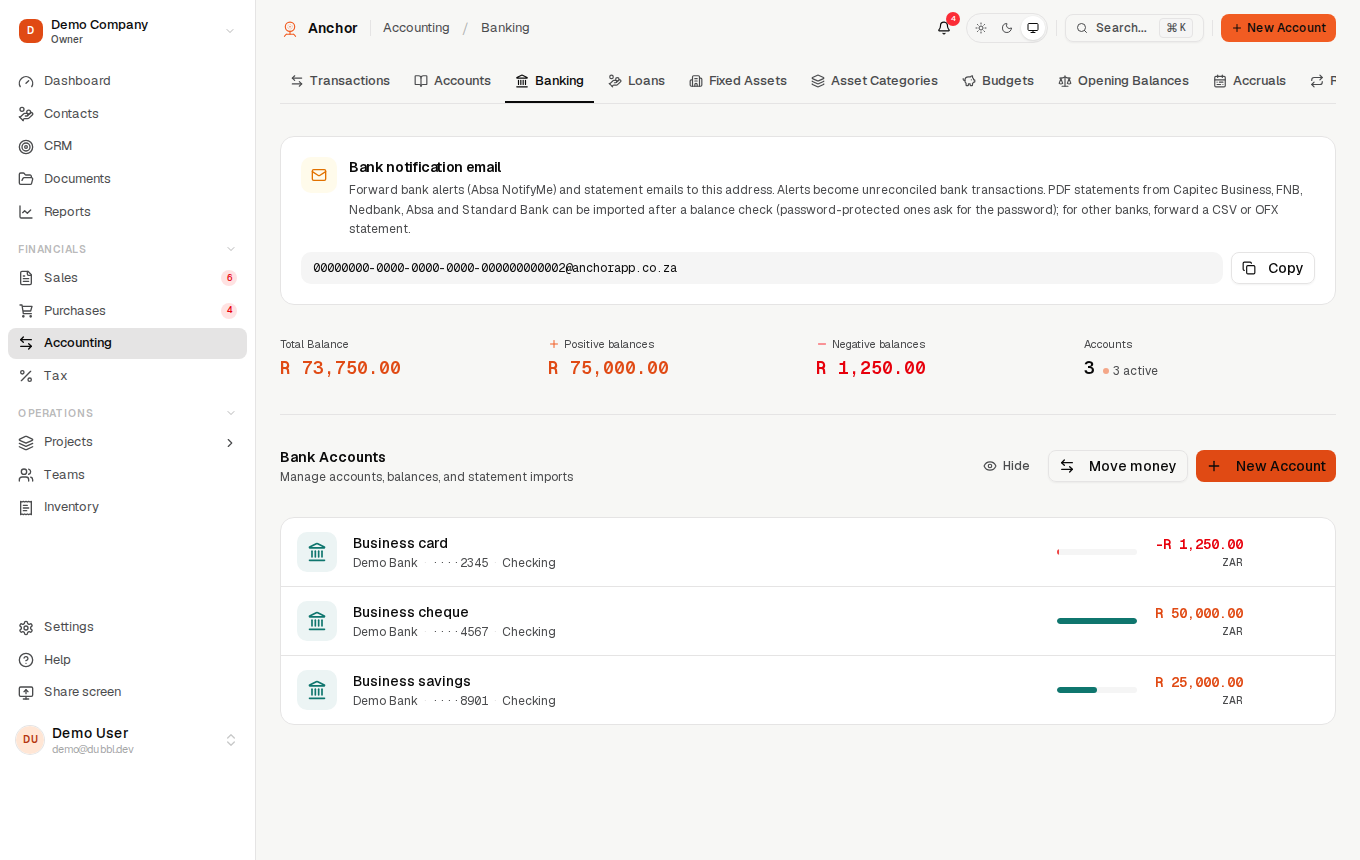
- Import the bank statement under Accounting → Banking, then categorise each line or match it to an invoice or a bill. See Banking.
Sending, approving, matching, and categorising are what create the journals. Changing a document later changes its journal. Cancel the document when you need to undo it.
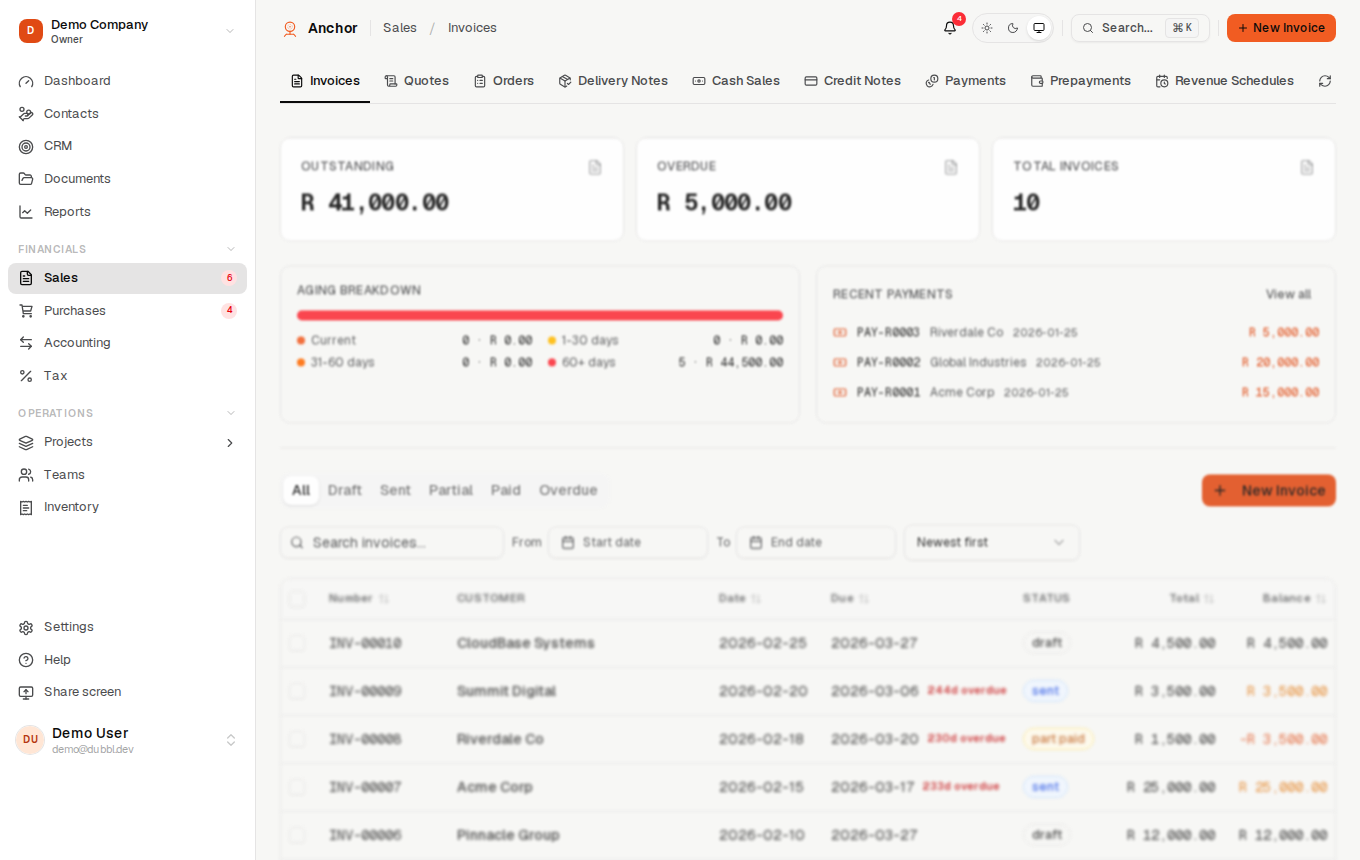
Draft invoices stay on this list and stay out of the reports until you send them.
2. Look at the journals
Open Accounting → Transactions. The list opens on Manual entries: entries you added, imported, or that came from opening balances, accruals, and year-end closes. Switch to All journals to include the entries that invoices, bills, payments, and bank lines posted for themselves.
You add a manual entry only for something no other screen covers: a correction, a provision, or an adjustment.
- Click New manual entry.
- Enter the date, a description, and an optional reference.
- Add at least two lines. Each line is an account and either a debit or a credit.
- Save. The entry is a draft.
- Open it and click Finalize. It is then in your books.
Total debits must equal total credits before you can finalize. To undo a finalized entry, Cancel it and give a reason. Anchor posts a reversing entry on the same date. Both stay in the list and net to zero.
A journal file brought in from Settings → Import & Export is also saved as a draft. Finalize each imported entry, or the amounts stay out of the reports.
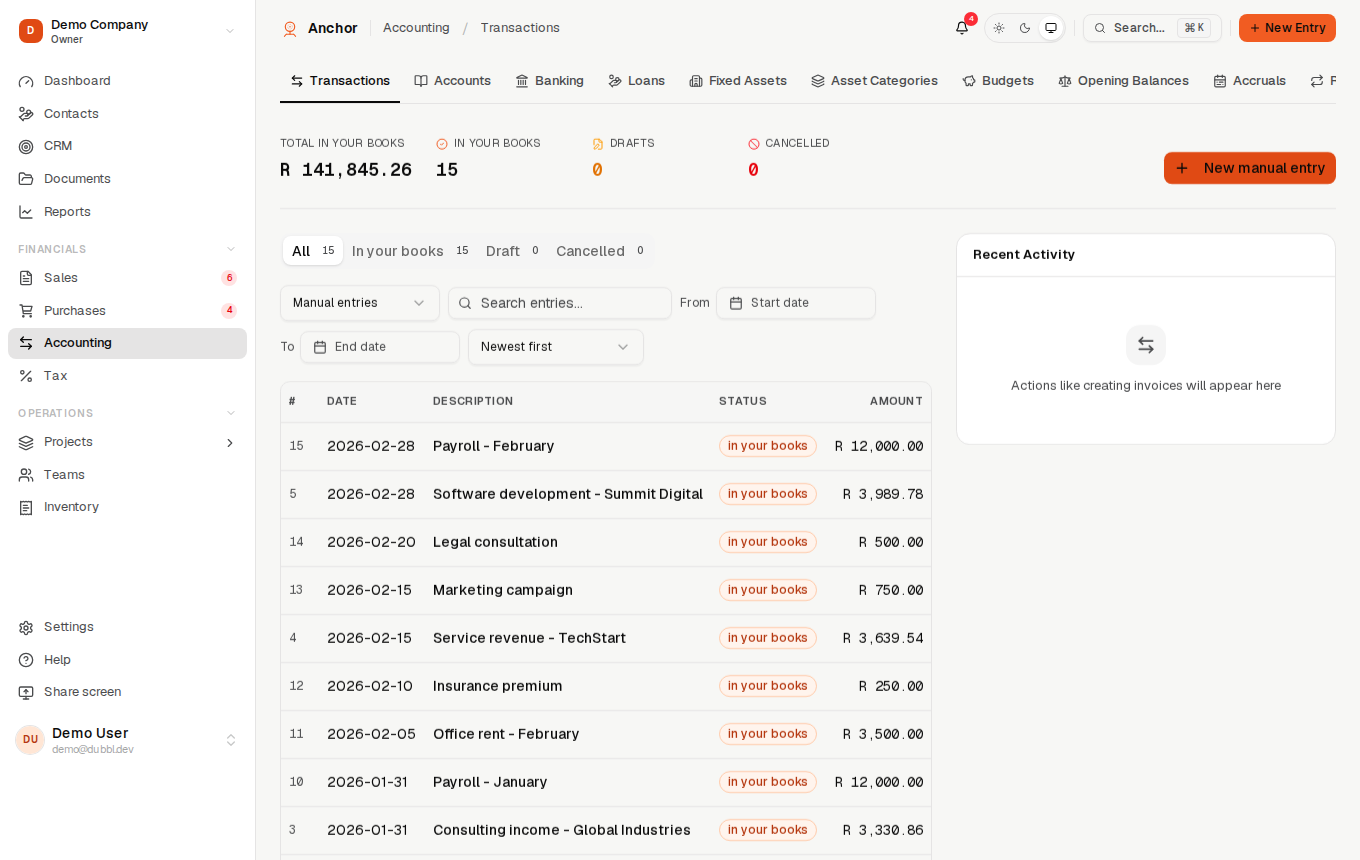
New manual entry opens the form. Save creates a draft. Finalize, on the entry's own page, puts it in the books.
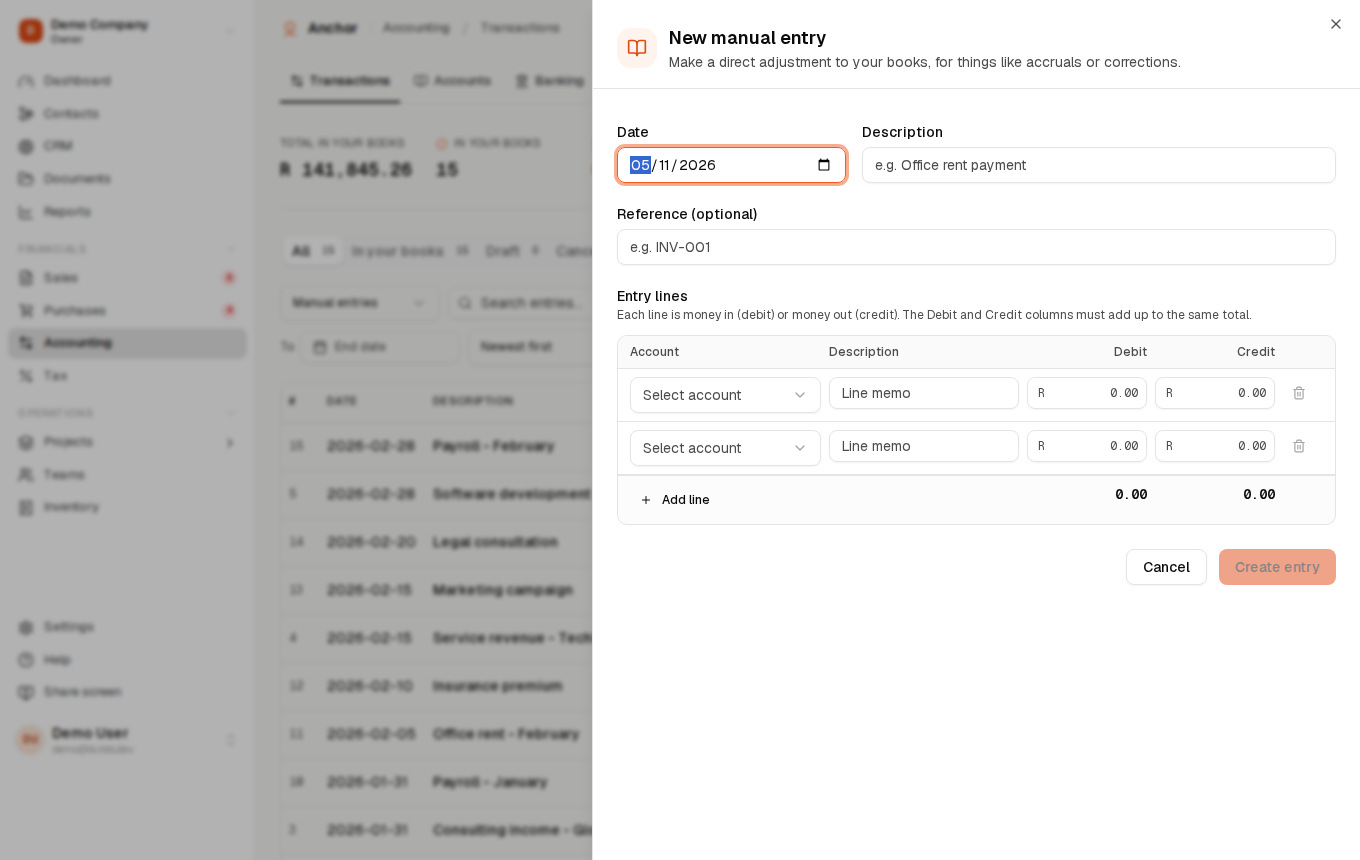
See Journal entries.
3. Trial balance
Open Reports → Trial balance and set the date to the last day of the month.
Assets, liabilities, and equity are cumulative through that date. Income and expense are only the current financial year, from Fiscal year start through that date.
The debit column and the credit column must show the same total. If they do not, an entry is unfinished or unbalanced. Click an account code or name to open its general ledger for the year.
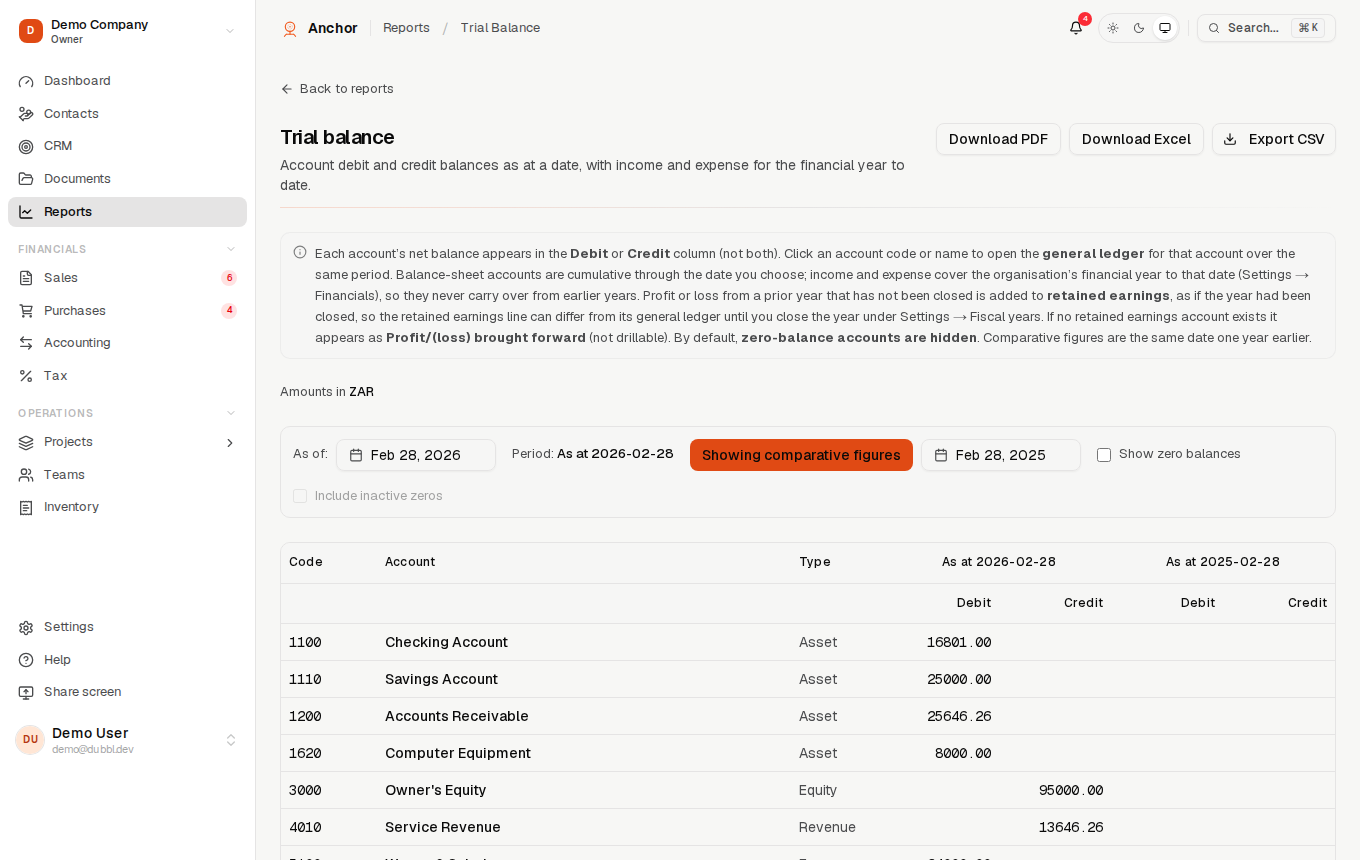
Retained earnings on this report already includes profit or loss from earlier years that you have not closed. Until you close the year, that line can differ from the same account in the general ledger. If the organisation has no retained earnings account, the amount is labelled Profit/(loss) brought forward.
4. Adjust the month
Do this before you treat the statements as finished. Each item below posts its own journal when you record it.
- Bank. On the bank account, open Reconcile and tick the statement lines that are already in the books. What the bank says and what the ledger says should agree for that statement. See Bank reconciliation.
- Accruals. Accounting → Accruals spreads a once-off cost or income over the months it covers. Open the accrual and click Record next month. See Accruals.
- Repeating adjustments. Rent, depreciation you enter by hand, and similar journals can be a recurring journal so the month does not depend on someone remembering.
- Fixed assets. On an active asset, Record value drop posts that period's depreciation. See Fixed assets.
- Anything left. A provision, a reclass, or a correction is a manual entry. Date it in an open month.
A date on or before the lock date, or inside a closed financial year, is refused. Date the correction in an open month, or ask the owner to move the lock.
5. Read the statements
Open Reports. These read posted journals only. A draft invoice, a draft bill, and a draft manual entry are absent.
| Report | Use it for |
|---|---|
| Money in vs money out | Profit for the month and for the year so far |
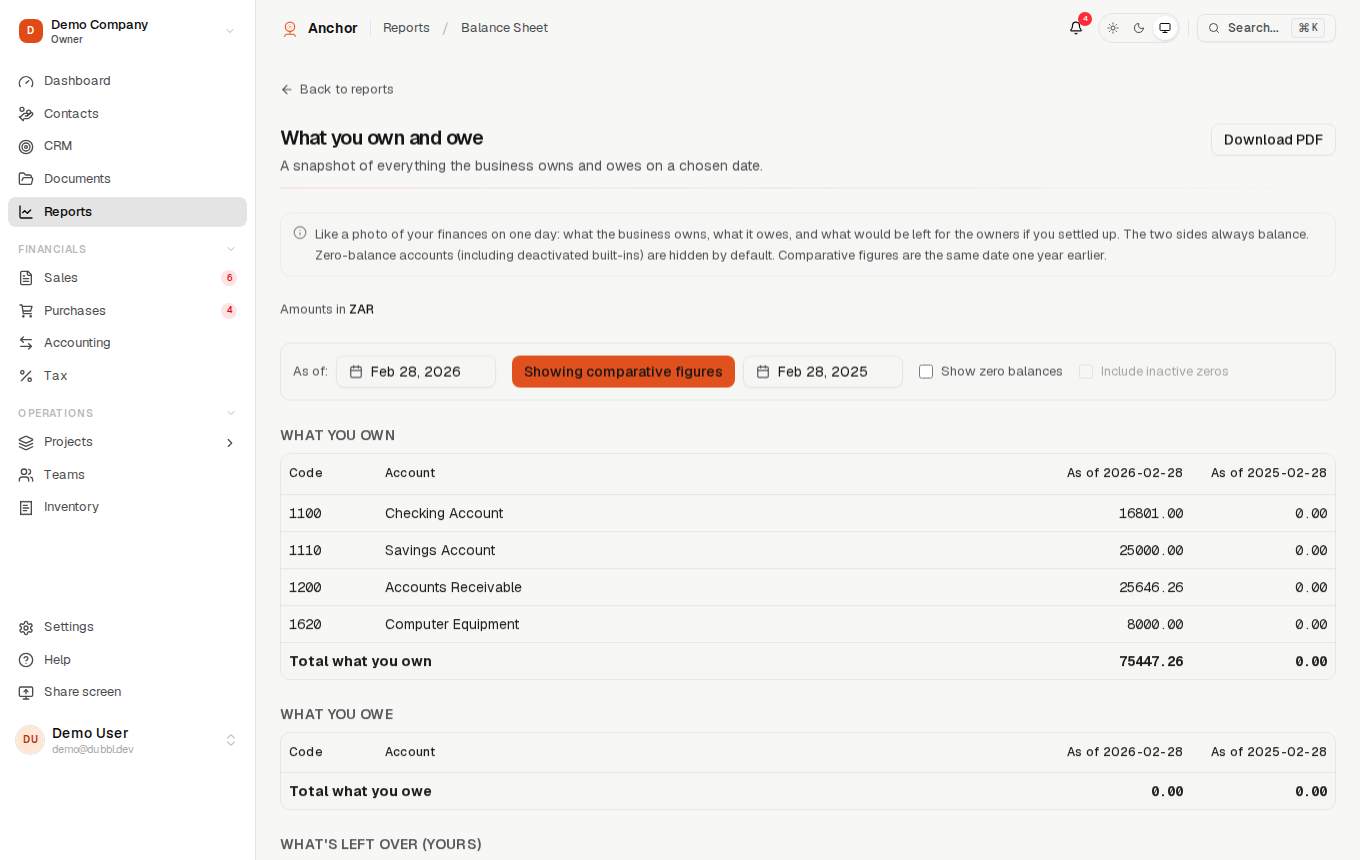
| What you own and owe | Assets, liabilities, and equity at the month end |
| Where your cash went | Cash from trading, from buying and selling assets, and from funding |
| Accountant report bundle | Profit and loss, balance sheet, trial balance, and a cash summary in one file |
Quick health check is the one-page summary next to the previous period.
The balance sheet follows assets = liabilities + equity. The same retained-earnings rule as the trial balance applies: an unclosed prior year is already included on the report.
See Financial reports.
6. VAT for the same period
For an organisation in South Africa, open Tax → VAT Report. Choose the period, including a two-month Category A preset when that is how you file, and choose accrual or cash.
Check F4 (output VAT), F14 (input VAT), and F20 (net). Export PDF or CSV for your records, then file on SARS eFiling. Anchor does not eFile.
The VAT report is the return. The trial balance is the check that the books balance. Complete both before you lock the period.
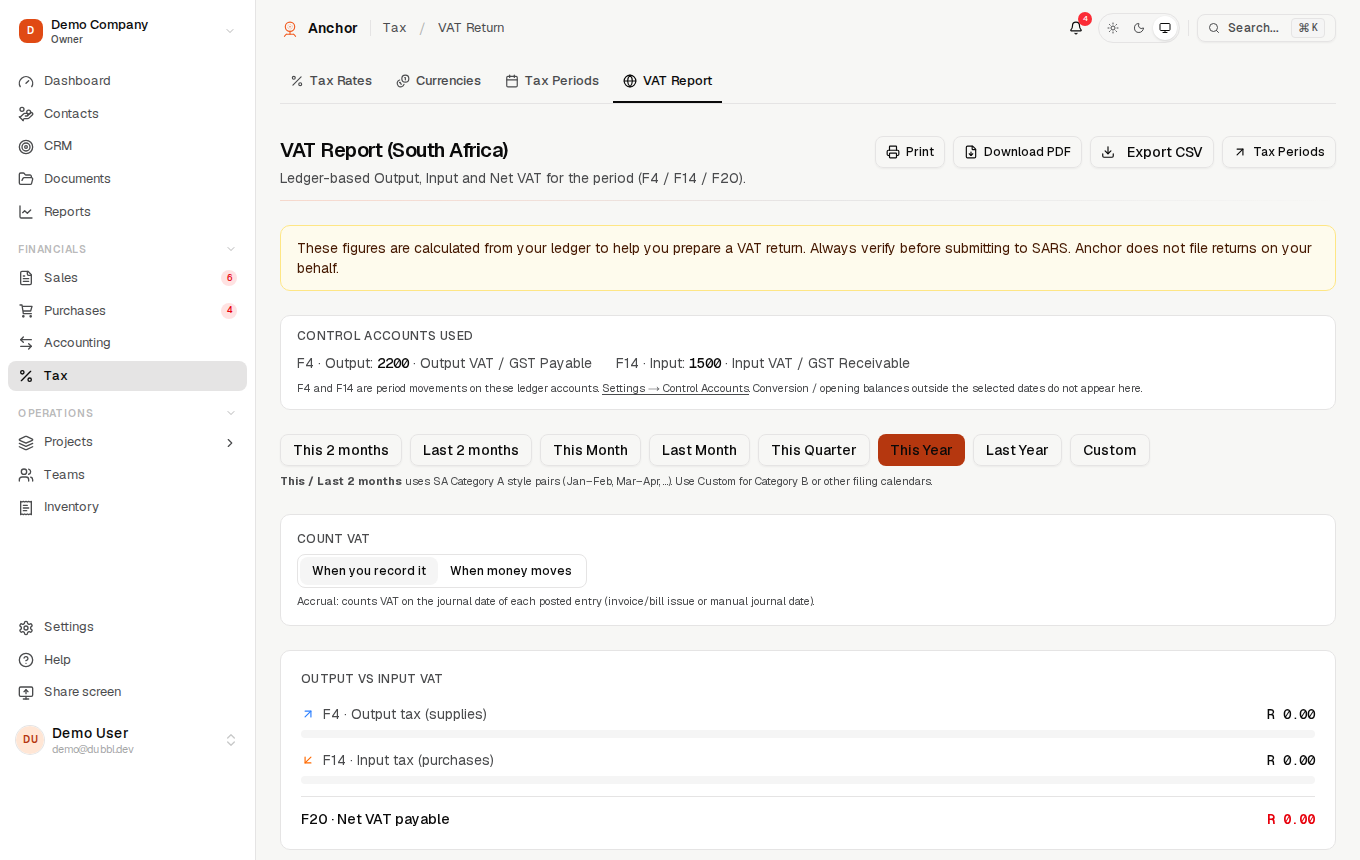
On this sample the VAT control accounts have no movement, so F4, F14 and F20 are zero. A month with VAT on invoices and bills shows those amounts here.
See VAT report and Tax filing prep.
7. Close the year, then lock the dates
Each month, after the statements and the VAT return are accepted, lock the period so a later edit cannot change it.
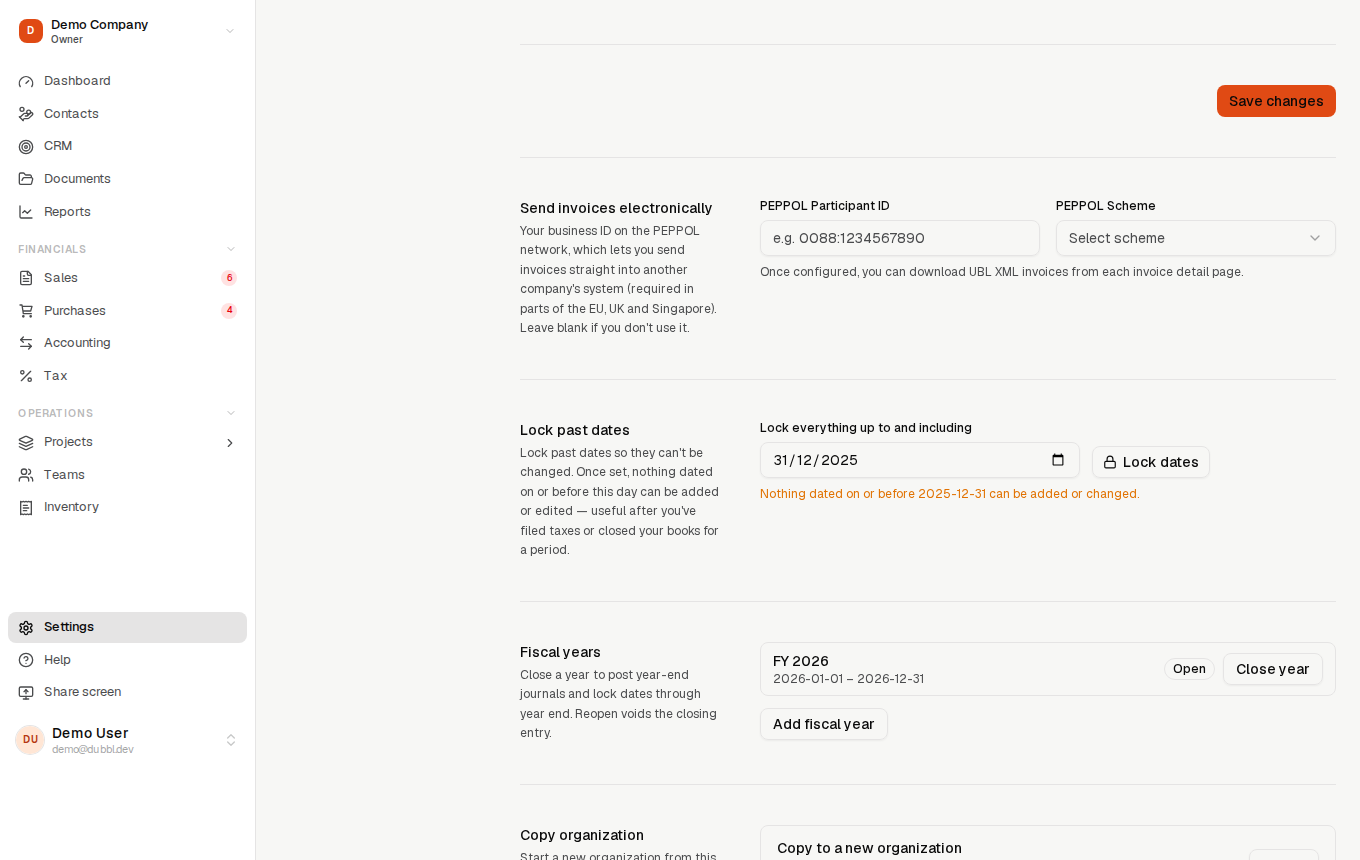
On Settings, under Lock past dates, choose Lock everything up to and including the last day of the signed-off period and confirm. Invoices, bills, payments, bank lines, and journals dated on or before that day are then refused. Only the owner can move the lock back.
Once a year, after the last month of the financial year:
- On Settings, under Fiscal years, add the year if it is not listed: a name, a start date, and an end date.
- Close that year.
Closing posts the year-end journal on the last day of the year and moves that year's profit or loss into retained earnings. It also locks dates through the year end. Reopen cancels that closing journal.
Date the close on the last day of the year being closed. A close dated on the first day of the new year would net against the new year's income and expense. Settings → Fiscal years dates it for you.
The reports already carry an unclosed year's profit on the balance sheet. Closing is what makes the general ledger match that report, and what locks the year.
Month-end checklist
- Invoices for the month are sent, and supplier bills are approved
- The bank statement is imported, categorised, and reconciled
- Accruals for the month are recorded, and asset value drops are posted
- Draft manual entries that belong in this month are finalized
- Reports → Trial balance debit and credit totals match
- Profit and loss and the balance sheet have been read
- Tax → VAT Report is exported for the VAT period
- Lock past dates is set to the last signed-off day
- At year end, the financial year is closed under Fiscal years